 Public beta · 0.4.2
Life2Film Studio
The agent-first video editor
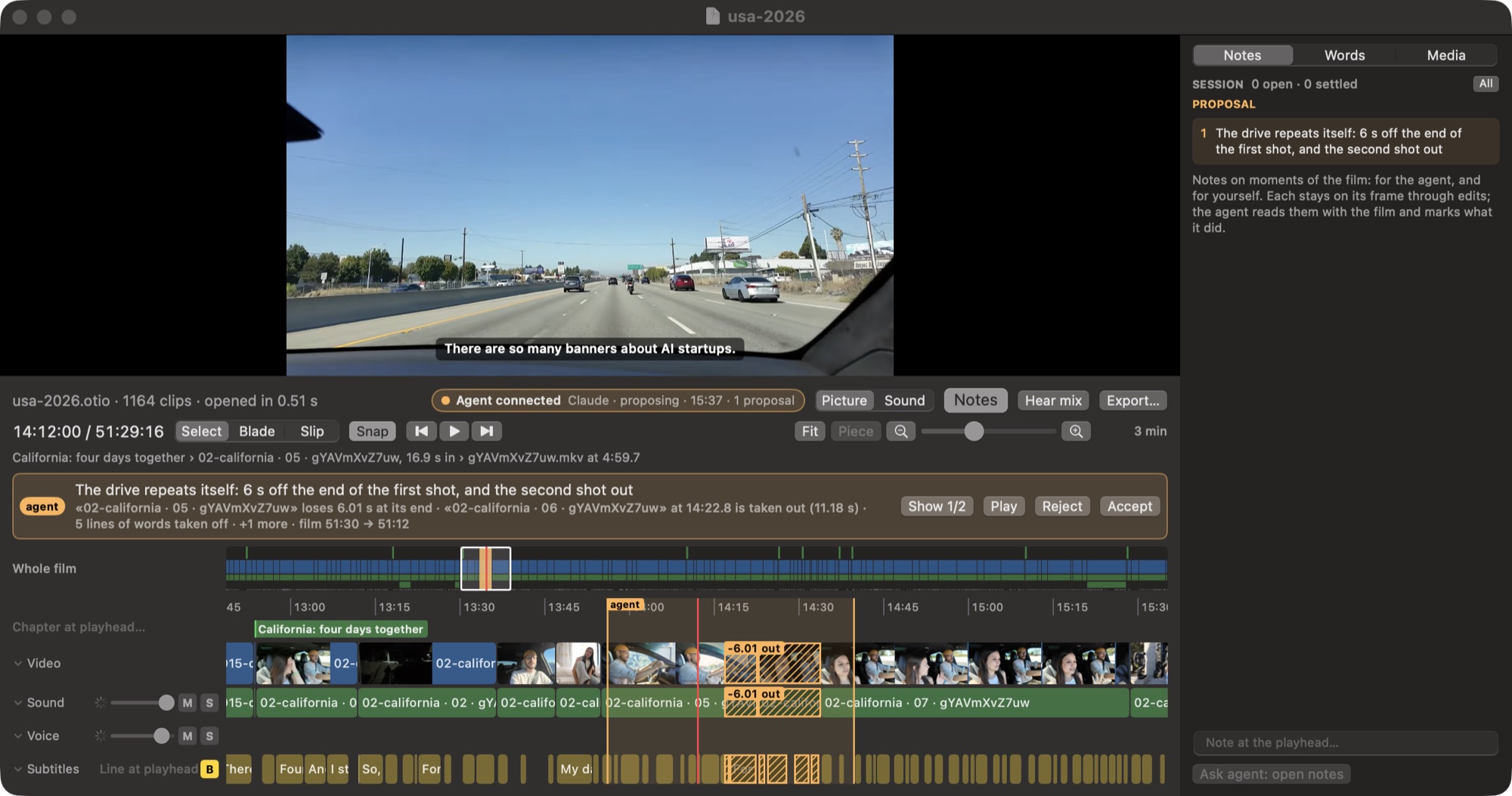
A native Mac editor that is a companion to Claude and other AI agents. Your agent reads the film, looks at frames, measures the sound and proposes cuts. Every proposal is drawn on the timeline and you play it before you accept it. Open a folder of footage and its clips are on a timeline, ready to cut by hand or with the agent. The film plays from your original footage: no proxies, no import, no upload.
Apple Silicon · macOS 15 or later · free while in beta · Version 0.4.2, 20 нояб. 2026 г.
Install
With Homebrew:
brew install --cask fortunto2/tap/life2film-studioOr download the DMG and drag the app into Applications. It is signed with a Developer ID and notarised by Apple, so it opens without Gatekeeper warnings. There is nothing to install first.
What it does
Plays the originals
Open a folder of footage and its clips are laid on a timeline in the order they were shot. A film is a small .otio file that points at your footage. Studio plays it as it is, MKV included, so an hour-long cut opens in under a second and nothing is copied or transcoded on a full disk.
Edits the file, not a project
Blade, ripple, slip, speed, dissolves, B-roll, voice-over, chapters and scenes. Every edit is written to the .otio at once and can be undone. The same file opens in other editors through an interchange copy.
Lets an agent in
An MCP door with twelve tools: read the film, look at frames, read loudness, propose edits. A proposal is drawn on the timeline and can be played before you accept it. The agent never writes the film itself.
In the window
Sound like a DAW
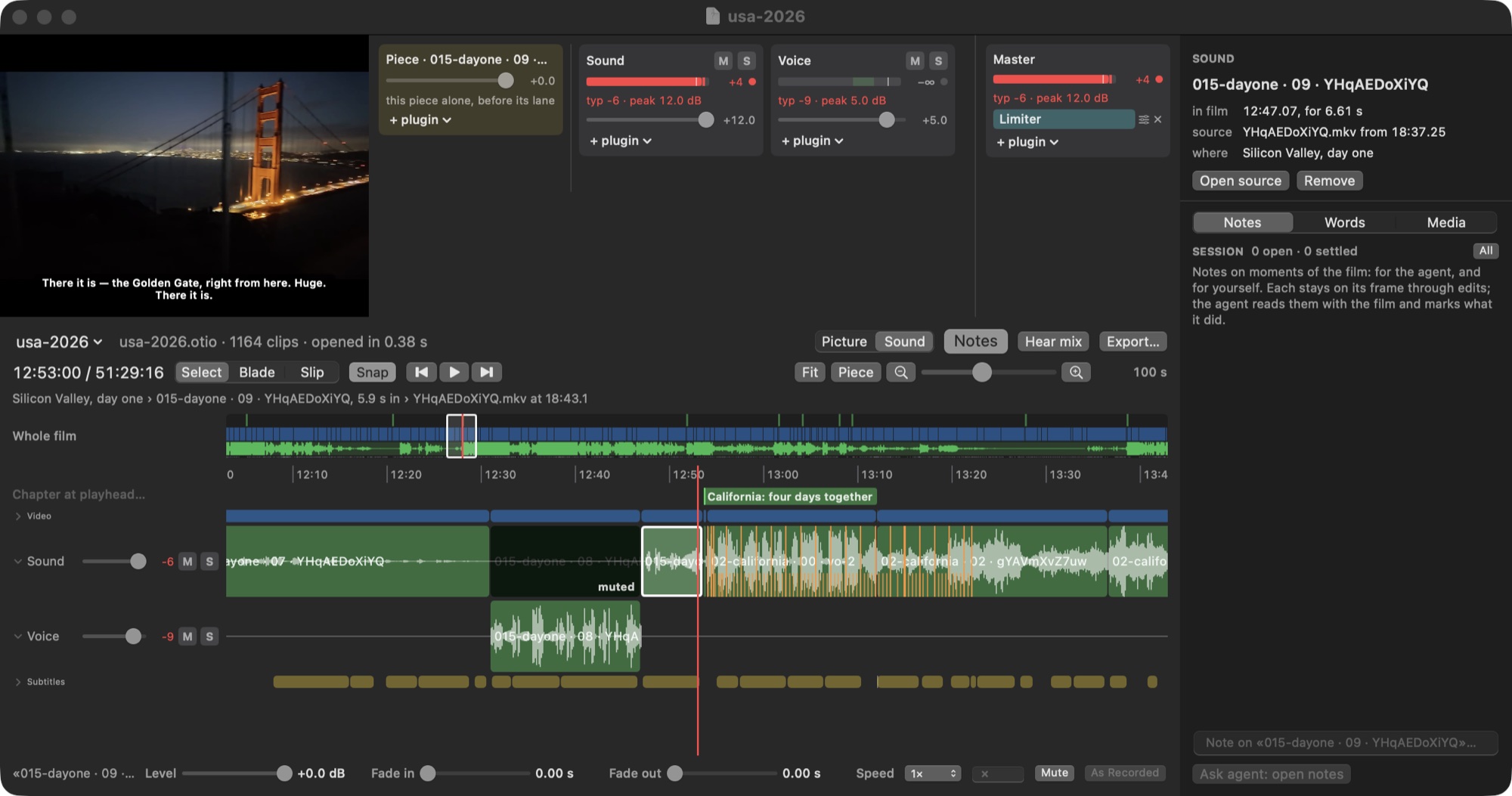
CLAP plugins run in the playback path, on a lane, on the master or on one piece of sound. What you hear is what the export renders, and one click brings the mix to -16 LUFS by measurement.
Words and subtitles
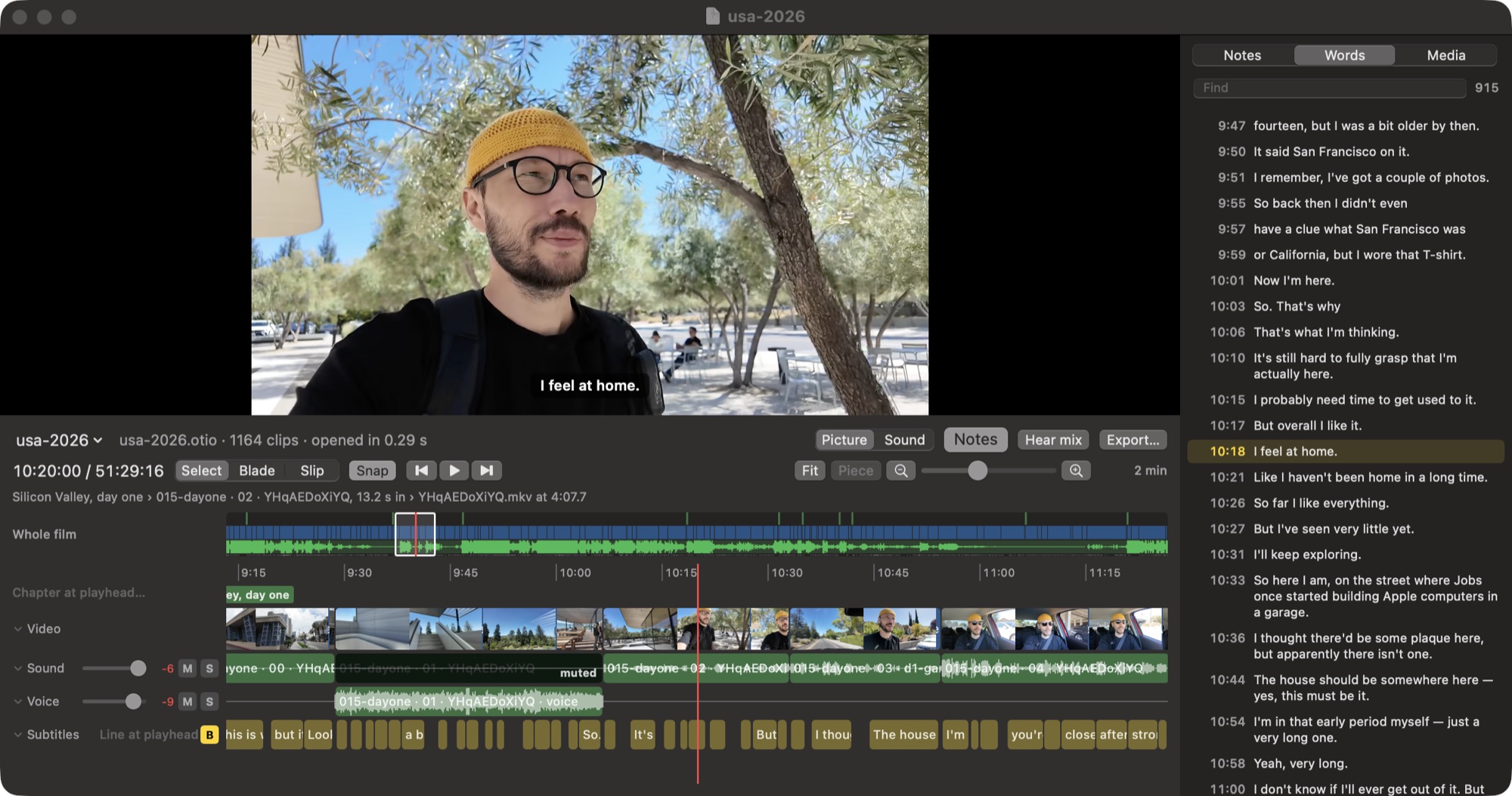
Subtitle, caption and title lanes follow the picture through every edit. Lines are edited in place, burned into the picture or written as .srt, per lane.
Inside a source
Open any shot to see its whole file, which stretches the film already uses and which are left, then insert a stretch or lay it over as B-roll.
Export places
YouTube, vertical, a small copy for a messenger, a master, a review copy with the clock burned in. Tick several and they are written one after another, with subtitles, chapters and a map of the film beside them.
Notes that stay put
Pin a note to a moment or paste a list of timecodes from a viewing. Each note stays on its frame through edits, and the agent reads them as its brief.
The iPhone app, soon
A private link to Life2Film on your iPhone is next: take a day of clips straight from the phone over your own network, with the analysis the phone already made, and no cloud in between.
The effects are SuperDuper DSP: 36 free, open-source audio plugins in Rust (CLAP, VST3, AU) that also work in any DAW. Get the plugins →
Bring your own agent
Studio holds no model and no key. The door is a command-line program inside the app that speaks MCP over stdio, so there is no port and nothing listening. With Studio in Applications and Claude Code installed (the agent guide has both lines), one command tells Claude Code where the door is; it downloads nothing:
claude mcp add --scope user studio -- "/Applications/Life2Film Studio.app/Contents/MacOS/studio-cli" mcpThen ask it to review a cut or direct a film. It reads the timeline, looks at frames and proposes; only you accept. The Notes panel can also call the agent installed on your Mac with one click.
The agent guide: tools, the skill, the working loop →
With the iPhone app
Life2Film on the iPhone finds the moments worth keeping in a day of clips and cuts a first film to the beat, on the phone. Studio takes the same day further on the Mac: the clips come over from the phone or from Photos, laid in the order shot, ready for you and an agent to cut.
Still a beta
This is a new native app that replaces the earlier Studio. It edits the .otio file and never your footage: originals are only read. Expect rough edges. The earlier app, which scored frames and assembled a montage from a folder, stays in the release list as 0.3; that analysis now lives in the Life2Film iPhone app and the command line.
Studio counts, with no names, files or words, how many people open it and which parts they use (a film opened, an agent let in, a film written), so we know what to fix first. Life2Film Studio > Share Anonymous Usage Counts turns it off.
Found something broken? info@life2film.com